
No signal? Deal anyway.
Card, mahjong and board games for friends at the same table. One phone hosts. Everyone joins nearby. No internet needed.
One-time game unlocks. The host buys; invited friends join free.
For iPhone and iPad; Android is on the way.






Works where nothing else does
Most multiplayer games go through a server on the internet. RoundPals doesn't: the host's phone runs the game, and the other phones connect straight to it, right there at the table.
- No internetGames never go online, so it works in the middle of nowhere.
- No Wi-Fi network or routerNo hotel Wi-Fi to log in to, no hotspot to set up.
- No mobile data or roamingPlay abroad without paying for roaming, or with no SIM card at all.
- No accountsNobody signs up or signs in. Open the app and sit down.
The one switch to leave on is Wi-Fi, and it doesn't have to join a network. In Airplane Mode, tap Wi-Fi back on in Control Center and the phones talk to each other directly.
Three taps to a table
No accounts, no room numbers, no router. The phones find each other.
Host a table
One person opens the app, picks a game and opens a table. Their phone runs the game.
Friends join
Everyone nearby sees the table on their own phone and taps Join. Lock it with a 4-digit code if you like.
Play
Your hand is on your phone and nobody else's. Switch games without leaving the table.
Only one phone? The two-player board games have Play on this phone, for two people sharing one phone. Undercover can be passed round the table instead, each person peeking at their own word.
Built for the table
Big, clear cards and tiles. Card games turn sideways so a whole hand fits; party games stay upright to pass around.
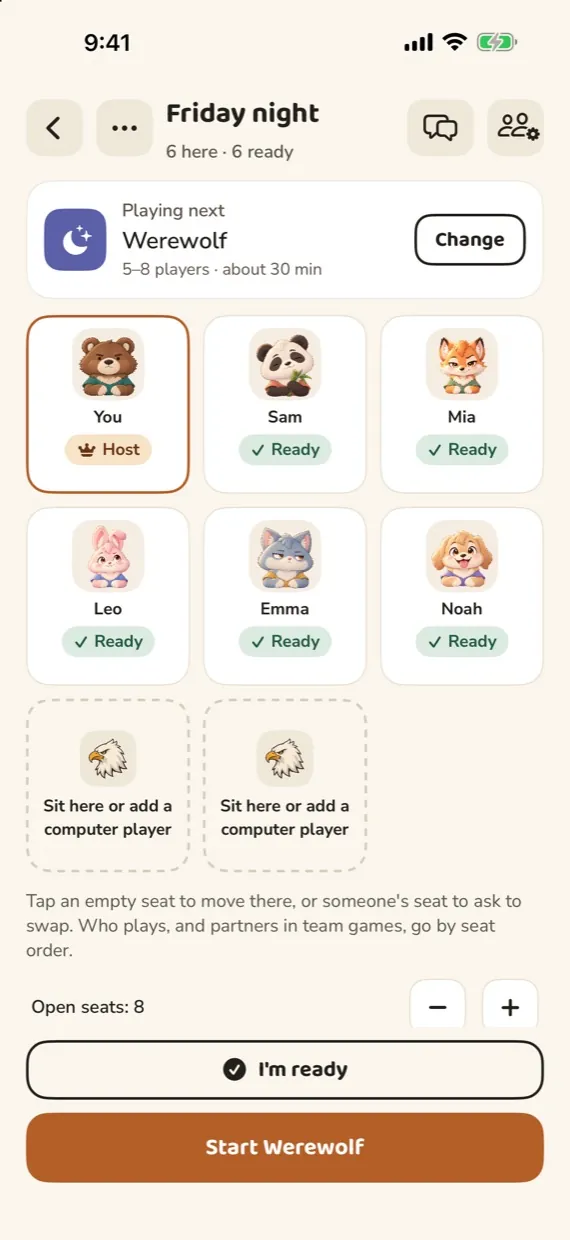
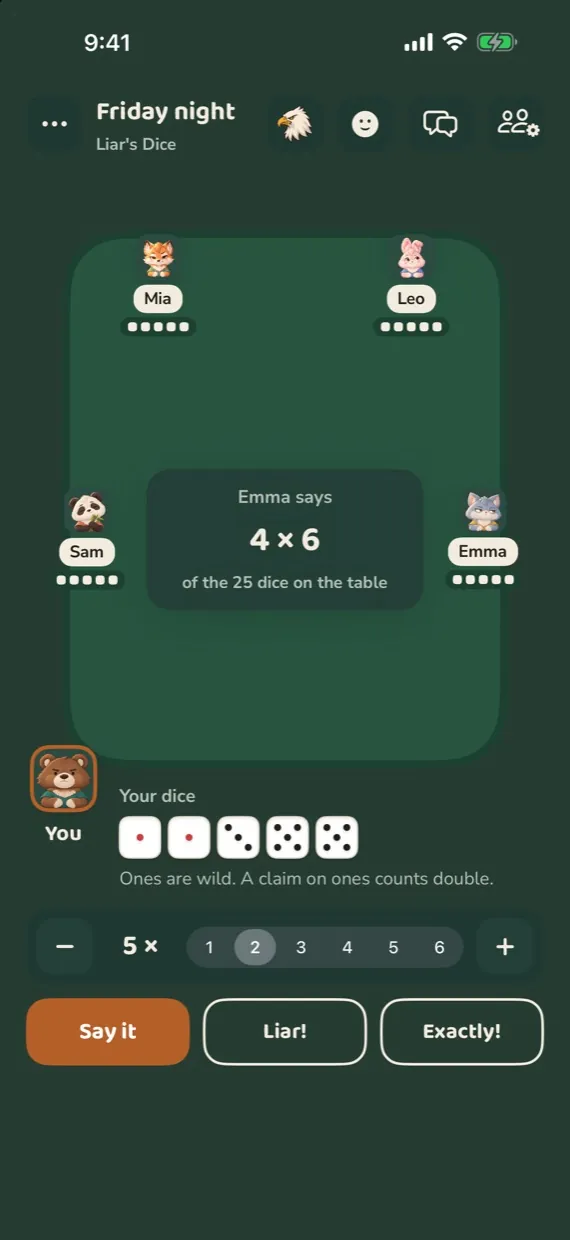
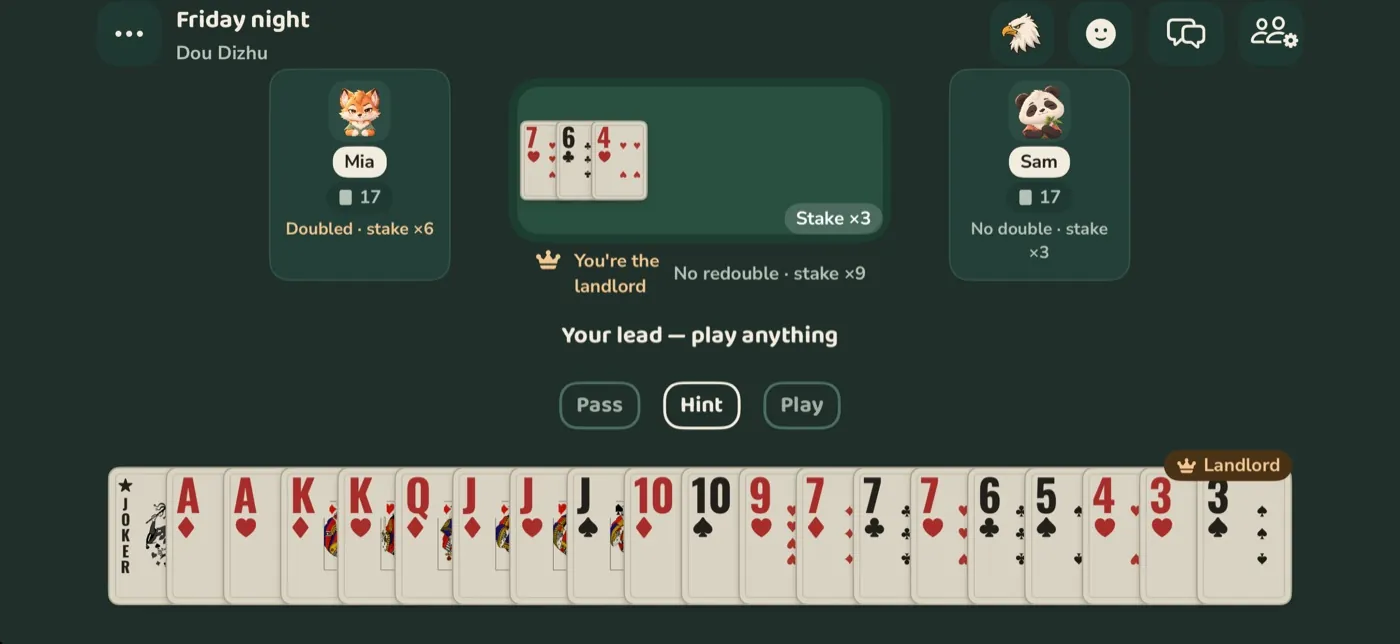
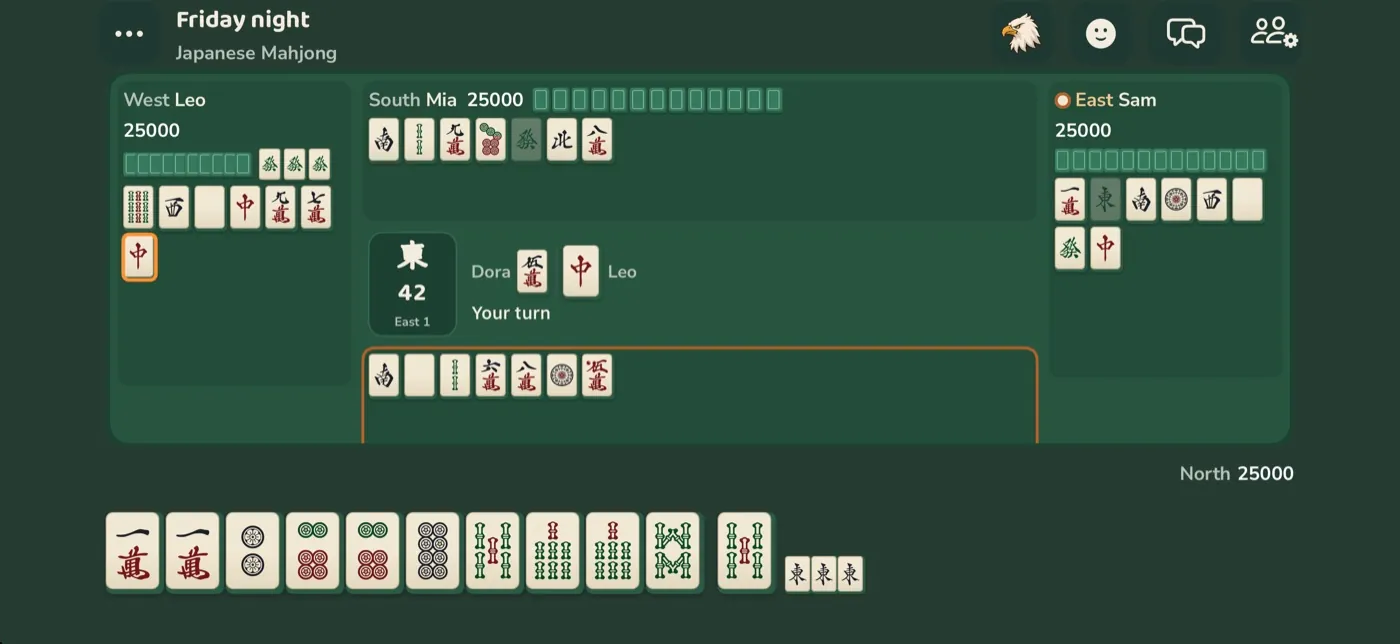
The games you already know
Thirty-three games. Each one follows the rules the most popular apps and rulebooks use, with a how-to-play page in the app.
The small things that make it work
Your hand stays yours
Each phone gets only what its player is allowed to see. No peeking at the host's screen, and no giveaways about who is still choosing.
Drop out, keep your seat
Phone locked or a call came in? Your seat and hand wait for you. After 20 seconds the computer plays for you until you're back.
Short a player?
The computer can fill empty seats, so three friends can still play four-player mahjong.
Keep score at a real table
Playing with real tiles or cards? Score calculators for 14 games, from every mahjong to Guandan, do the counting on one phone.
English, 简体, 繁體
Every phone follows its own language, so grandparents and kids can share one table.
Easy on the eyes at night
A dark felt look for night trains and dim cabins, bigger text and bigger cards when you want them, and four-colour suits so a club never looks like a spade.
Pick your buddy
Everyone at the table sees your animal in your seat, and during a game its faces are your reactions. Change it any time.
Help & support
Can't find or join a table?
Keep the phones close, leave Wi-Fi on and keep RoundPals open on the host. On iPhone or iPad, check Settings › Privacy & Security › Local Network and allow RoundPals. For a mixed iPhone/Android table, use the same Wi-Fi network or a hotspot. If it still fails, reopen the app and tell us the device models and what happened.
Does it really work without internet?
Yes. The phones connect straight to each other over Wi-Fi, without a router or mobile data. Wi-Fi has to be switched on, but it doesn't have to be connected to anything.
How many people can play?
A table has up to 10 seats, and each game says how many it takes: two for chess, three for Dou Dizhu, four for mahjong, up to eight for Werewolf or Liar's Dice. Anyone else watches that round and gets a seat next time.
How close do we need to be?
It's made for people sitting together: the same table, a row of train seats, a tent. Walls and long distances weaken the connection.
Which devices does it run on?
iPhone and iPad with iOS 18 or later; on the iPad, mahjong and the card games get a full-size table. An Android version is in the works. Android phones will play each other the same way, and an iPhone and an Android phone can share a table when both are on the same Wi-Fi network or one phone's hotspot.
Do I need an account?
No. You pick a name and a buddy, and that's it. Friends you add are saved on your phone only.
What does the app collect?
No tracking and no ads. Games, scores and your friends list stay on your phones. Chat goes from phone to phone at the table and is gone when the table closes. Only if you switch on Share anonymous usage (it starts off), the app sends anonymous counts once a day when it's online, like how many games of each kind were played, with no names or anything that identifies you; turn it off any time in Me › Privacy. And if you write to us in Me › Feedback & suggestions, we get your message, with diagnostics only if you choose to attach them. Details.
What if the host's phone dies?
The game is saved on the host's phone, so nothing is lost: once it's charged and back, the table picks up where it stopped. A host who has to leave can hand the table to someone else first.
Does everyone need the app? Can I play alone?
For a quick two-player board game, one phone is enough: Gomoku, Chinese chess, chess, Go, Reversi, Four in a Row, Checkers and Backgammon have Play on this phone, where two people share one phone lying between them. Undercover can be passed round the table, each person peeking at their own word. Everything else needs the app on each phone. On your own, the computer can fill the other seats, but RoundPals isn't an online game: there are no strangers to match with.
How do game purchases work?
Games and bundles use one-time unlocks, not subscriptions or purchasable chips. The host needs the game unlocked; friends invited to that table join free. Playing solo against the computer or sharing one phone needs that phone’s own unlock. Prices and bundle contents are shown before purchase. Buying or restoring a purchase needs internet; gameplay does not.
Bought a game but it is still locked?
Check that you are signed in to the same store account used for the purchase and have internet access. Use the app’s purchase restoration option before buying again. Do not assume a purchase transfers between Apple and Android stores. If it is still locked, contact us with the game and store receipt reference; never send payment card details.